
MAGI-2 AI Video Generator
Create AI videos with MAGI-2, the flagship video model from Sand AI. Use text to video to turn a prompt into a full scene, or image to video to bring a still image to life. Add images, video clips and audio as references to direct every shot. Each generation delivers up to 30 seconds of 1080p video with native audio.
🎥 Direct your scene with multimodal references and precise timeline and shot-cut control
What Is MAGI-2?
MAGI-2 is the flagship AI video model Sand AI released on November 24, 2026. It generates up to 30 seconds of 1080p, 25fps video with natively synchronized audio in a single pass, gives you precise control over the timeline and shot cuts, and plans its own camera work. MAGI-2 Preview, released in August 2026, is open source under the Apache 2.0 license, and Sand AI says the full model will be open-sourced soon.
Text to Video
Describe a scene and MAGI-2 creates the characters, motion, camera work and sound from scratch in one go. With up to 30 seconds per generation, a complete story beat—setup, transition and payoff—fits in a single clip, no stitching required.
Image to Video
Start from a photo, a product shot or a storyboard frame. The image sets the look of your subject and scene; describe the motion, camera and sound you want in the prompt, and MAGI-2 turns it into video.
Reference to Video
MAGI-2 multimodal references combine up to 20 inputs in one request: up to 10 images, 5 videos and 5 audio clips. Use @mentions to give each file a role, such as appearance, motion or sound.
AI Video Examples
See how reference-driven AI video comes together. Each demo shows the inputs, the prompt, the result and the generation mode. From product films to character shorts, anime and hand-drawn animation, you can make the same kind of video yourself with MAGI-2.
Cinematic Anime Short
A 30-second anime short made from one seaside-town background and two character sheets, a girl and a boy. Assigning the background and each character to separate files keeps their looks consistent across a single, continuous story.
“A 30-second cinematic anime short set in the seaside town from @image1, starring the girl from @image2 and the boy from @image3. Watercolor backgrounds, cel shading, magic-hour colors, hair blowing in the wind and drifting clouds.”
Hand-Drawn 2D Monster Animation
A hand-drawn style 2D animation made from a meadow background and two monster drawings. Spell out the art style you want to keep, like gouache texture or flat color blocks, and the reference style carries straight through.
“A 2D animation where the monsters from @image2 and @image3 appear over the meadow in @image1. Keep the hand-painted gouache texture, flat color blocks without outlines and exaggerated contrast in scale.”
Vlog from a Character Sheet
A cyberpunk vlog of a walk down a neon street, made from a single character sheet. Describe the camera work too, like selfie angles and side tracking shots, and the same character holds up in every shot.
“Following the character sheet in @image1 exactly, create a 30-second cyberpunk vlog of the silver-haired character with an eyepatch filming themselves while walking down a neon street. Mix selfie angles with side tracking shots.”
Running Shoe Product Ad
A 30-second cinematic ad made from product photos of one running shoe shot from three angles. Feeding in multiple angles keeps design details consistent from cut to cut.
“A 30-second cinematic ad that faithfully recreates the silver-white running shoe from @image1, @image2 and @image3. Close-ups of the outsole on wet asphalt, translucent cushioning details, ending with a sprint through the rain.”
Cyborg Agent in the Desert
A single character illustration turned into a cinematic scene by adding motion and a location. The costume and armor details come from the image; the camera angle and mood come from the prompt.
“A cinematic shot of the cyborg agent slowly walking through a sun-drenched desert village, keeping the red hood, mask and armor details from @image1. Low angle, drifting sand, realistic textures.”
Cat in Hanbok Watching a Procession
A procession scene and a cat character combined into one shot. To drop in a character while keeping the background light and crowd untouched, list what stays fixed and what changes separately in your prompt.
“Keep the procession, crowd and warm morning light from @image1 as they are, and add the black cat character from @image2, dressed in a traditional jacket and trousers, standing with its back to the camera watching the procession. Lock the camera position and field of view.”
Cats Meeting on a Rooftop
A reference video supplies the camera movement and background, while three cat photos each play a different role. Assign the lead, the expression and the co-star to separate images and you get a scene with a short story.
“Using the camera movement and background from @video1, show the cat from @image1 happily trotting across the rooftop, then stopping in surprise at the sight of the black cat from @image3. Base its expression on @image2.”
How to Use MAGI-2: Create an AI Video in 3 Steps
Whether you start from text, a single image or a set of references, the MAGI-2 workflow is the same.
- 1
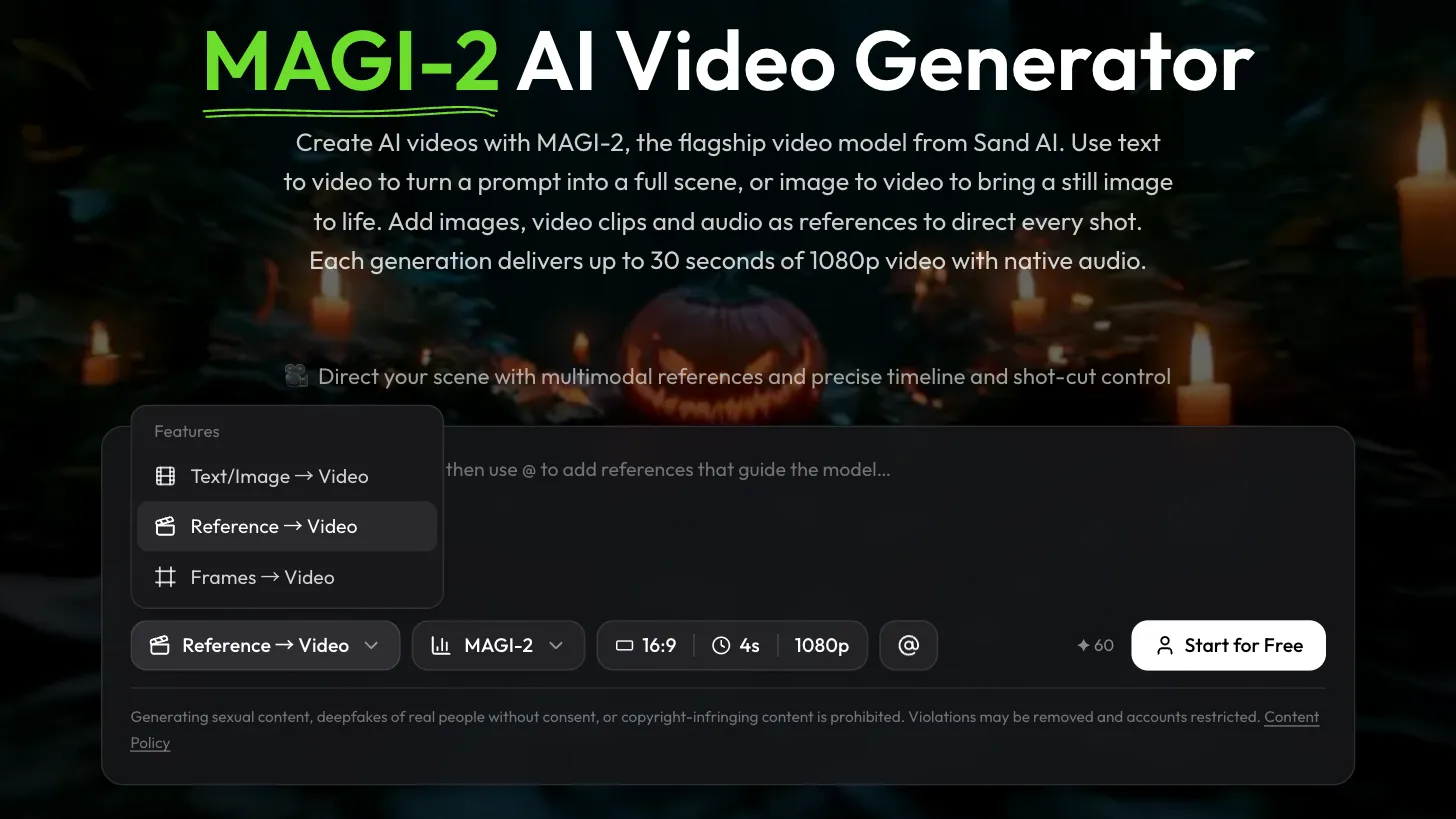
Choose how to start
To start from text, just write a prompt. To start from a photo, upload an image. To combine photos, video clips and audio, upload several files as reference content. The generation mode is set by what you upload.
- 2
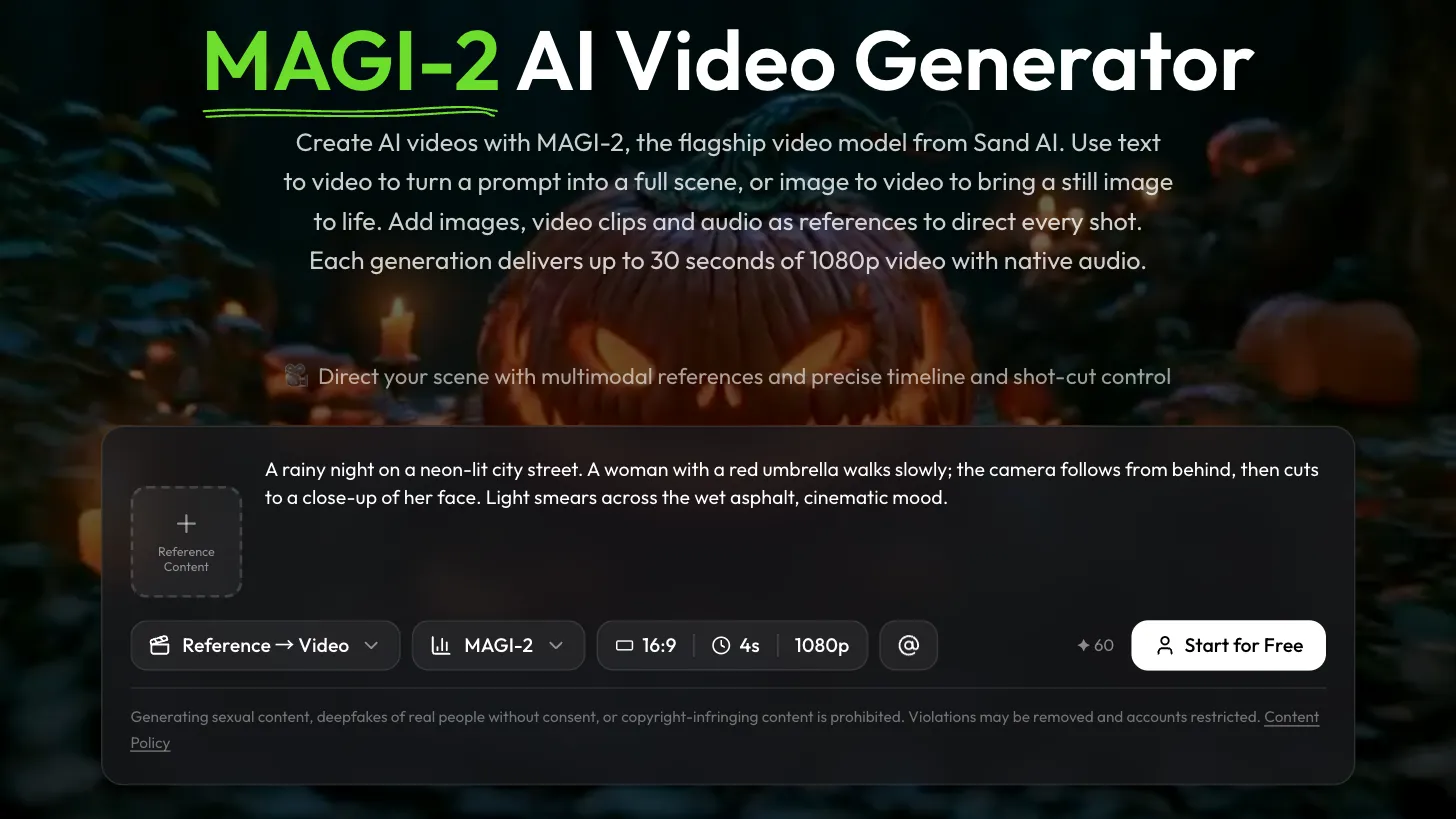
Write your prompt
Describe the scene, then use @ mentions to tell MAGI-2 how to use each input—for example, "use @image1 as the character and @video1 for the camera movement."
- 3
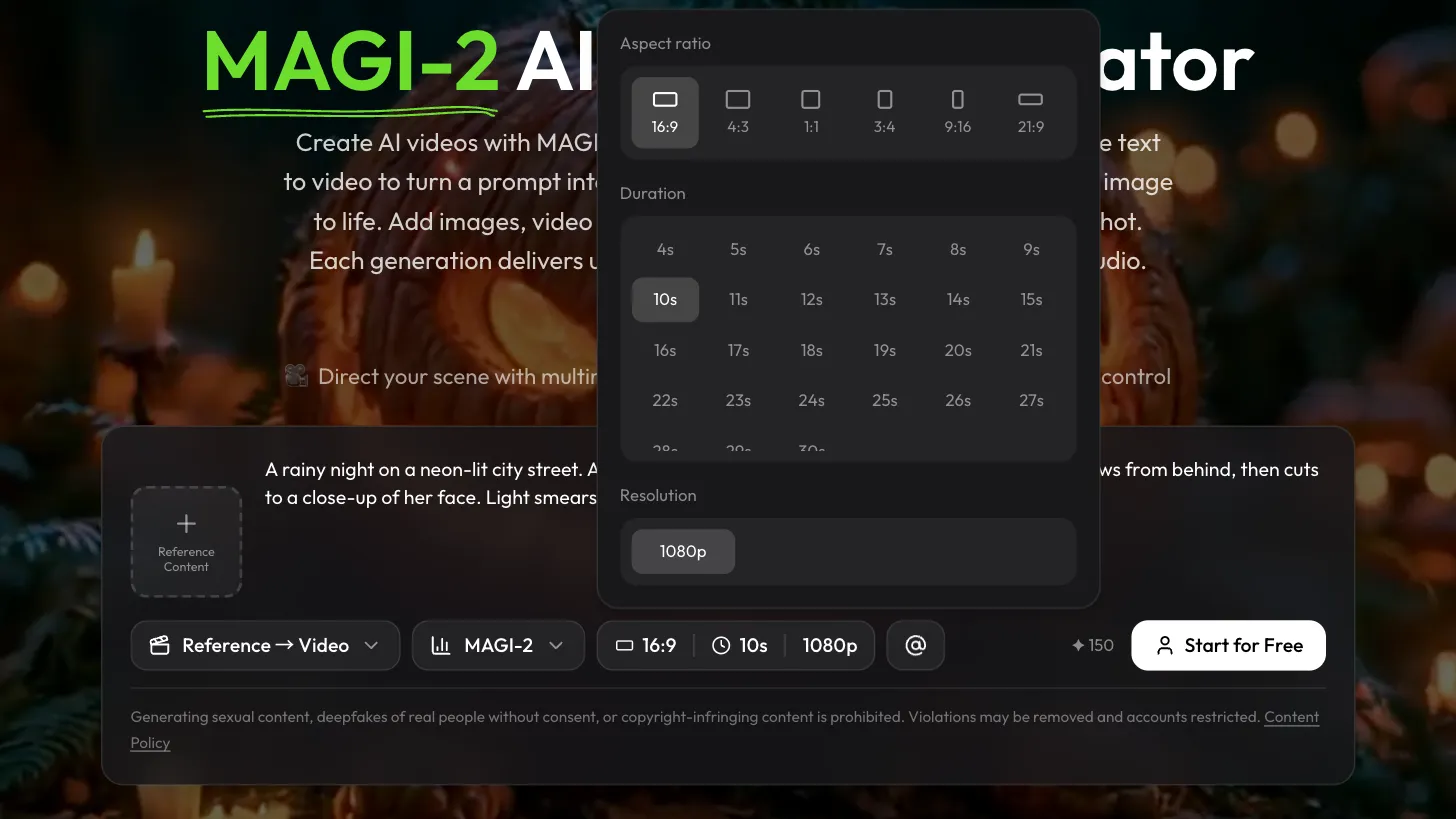
Generate and refine
Pick an aspect ratio and a duration (4–30 seconds), then generate. Your finished 1080p MAGI-2 videos are saved to 'My Videos' and can be downloaded as MP4.
MAGI-2 Key Features
From continuous 30-second shots with native audio to multimodal references and timeline control, here is what Sand AI built into MAGI-2.
Shots Up to 30 Seconds
Generate up to 30 seconds of video in a single pass. Here you can pick any length from 4 to 30 seconds in 1-second steps, enough to tell a full story beat without stitching clips together.
Timeline and Shot-Cut Control
Specify exactly when the action changes and where the cuts land, right in your prompt, and direct multi-shot sequences in one generation.
Up to 20 Multimodal References
Combine up to 10 images, 5 videos and 5 audio clips in one request to guide characters, products, motion and sound.
Video Editing
MAGI-2 does more than create new videos—it edits them too. Sand AI released it as a model that handles both generation and editing.
Autonomous Camera Planning
No need to script every camera move: the model plans camera work that fits the scene on its own. If you have a specific framing in mind, just write it in.
Native Audio
Synchronized audio is generated together with the video in a single pass, so you get a ready-to-watch result without adding sound separately.
Six Aspect Ratios
Choose 16:9, 4:3, 1:1, 3:4, 9:16 or 21:9 and compose for the right frame from the start, from widescreen YouTube videos to vertical Shorts and Reels.
1080p · 25fps
Every video is generated in 1080p at 25fps. There is no resolution to pick—just set the length and aspect ratio.
Open-Source Roots
MAGI-2 Preview, released in August 2026, is open source under the Apache 2.0 license, and Sand AI has announced that the full model will be open-sourced soon.
MAGI-2 FAQ
Answers to the most common questions about MAGI-2 and MAGI-2 AI.
Can't find what you're looking for? Check the user guide or contact our support team. You can also email us at support@magi2-ai.pro.
MAGI-2 is the flagship AI video generation model Sand AI released on November 24, 2026. It generates up to 30 seconds of 1080p, 25fps video with natively synchronized audio in one pass, and supports multimodal references, timeline and shot-cut control, video editing and autonomous camera planning.
Yes. With text to video, MAGI-2 builds the scene from your description; with image to video, it animates the image you upload. Reference to video, which combines images, video clips and audio, is supported as well.
MAGI-2 creates up to 30 seconds of 1080p, 25fps video per generation. On this site you can choose any length from 4 to 30 seconds in 1-second steps, and every video is 1080p.
MAGI-2 supports six aspect ratios. On this site you can choose 16:9, 4:3, 1:1, 3:4, 9:16 or 21:9.
Multimodal references let you add up to 20 references to a single generation: up to 10 images, 5 videos and 5 audio clips. Give each file a role with tags like @image1, @video1 and @audio1 to guide appearance, motion and sound.
MAGI-2 Preview, released on August 5, 2026, is open source under the Apache 2.0 license. Sand AI has announced that the full MAGI-2 model will be open-sourced soon. The model has 480B total parameters, with about 28B active.
It depends on how you got them. One-time credit packs and sign-up credits never expire. Monthly subscription credits are granted on each billing date; unused credits expire on the next billing date and do not roll over. Annual subscription credits are granted in monthly installments, and each month's credits expire on the next monthly grant date. Daily check-in credits are valid for 30 days from the day you receive them. You can see each credit's expiry date under Settings › Credits, and the remaining time is shown starting 7 days before expiry.
No. MAGI-2 AI is an independent service and is not affiliated with Sand AI. For official Sand AI news, visit sand.ai.
Start Creating with MAGI-2
Write a prompt or upload a still image, and get a finished clip—sound included—in just a few clicks.